Went back to my wife's kampong over the weekend to pray to her grandmother for 'Qing Ming', thus no blogs were posted. It was a fruitful weekend --> my wife was finally relieved of a burden and I too am really happy seeing her so relieved!
Just before we left, my dry cabinet arrived! Hurray!!! My lenses finally have a safe place to hide in! I got it for S$240 from Parisilk including free delivery.
 |
| Digi-Cabi DHC-60L |
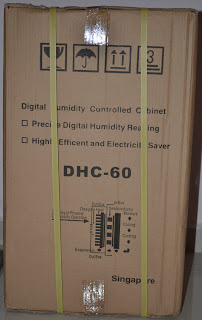 |
| Back of box |
As you can see, the cabinet came in a carton box. The contents were well protected with stuffing both at the top and bottom. There was also a small piece of stuffing in between the box to prevent any impact during transportation. My apologies for not having pictures of the stuffing within. I actually forgot to take them! =p
 |
| Unpacked Cabinet |
The unpacked cabinet. More stuffing on the trays to prevent them from hitting the glass door during transportation. Manual and form paddings were already placed properly in the cabinet.
 |
| Drawers Extended |
Here you see the drawers which are not fully extended. They are made of plastic but do not feel flimsy at all (even after I put up my gear)! The cabinet comes with 2 keys which are not featured here. The drawers are stopped by a catch when fully extended. You will not be able to pull it out unless you lift them up to a certain angle. This certainly is a welcomed feature as you won't have to worry about your camera or lenses dropping off if you pull too hard!
 |
| Back of cabinet |
Back of the cabinet where the dehumidifier and power point is.
 |
| Internal Indicators |
The internal indicator. Red LED at the bottom represents power while the Green LED at the top indicates the box is working to lower the RH to your desired level.
 |
| Digital Control (RH == Relative Humidity) |
The digital control is in front and outside of the cabinet. It is powered by the same power supply for the cabinet, not like the AD series where this controller is powered by a 'AAA' battery. To set the RH, you press 'Set', followed by the arrows keys. The blue led lights up as well (with the Green LED) when the cabinet is working to lower the RH. You know it has reached the desired RH when the light goes off. The temperature is only an indicator, you won't be able to adjust this.
NOTE: if you set RH to 47%, the box will start to lower the RH when it reaches 49% and it will bring it down to 45% before it cuts off. It works based on ±2% RH.
I chose a digital dry cabinet 'cos I'm lazy --> I don't want to be fiddling around with an analogue dial to adjust the cabinet to the desired RH. I just want to set it and forget it. Another good point is that the digital cabinet is 'greener' than the analogue. It cuts itself off when the desired RH is reached. Unlike the analogue version where it works continuously to maintain the RH.
I hope this post clears the air for a lot of potential dry cabinet users who like me, are unable to find clear information / instructions online -- even from the manufacturers websites!
UPDATE (18-Sep-11): I 'upgraded' the Dry Cabinet. Take a look
here.


